Packaging mockup workflow
Generate packaging mockups faster for decks, launches, and storefront previews
Generate pouch, bottle, box, label, and product presentation mockups before final renders or studio photography. Use prompts to test materials, camera angle, shelf context, and label hierarchy.
Use this workflow when you need product packaging mockup concepts quickly for a pitch deck, prelaunch page, product listing, or creative review. Spell out the packaging format, material, label area, lighting, and retail context so the image reads like a credible mockup.
- Create packaging mockups for box, bottle, pouch, jar, tube, and label concepts
- Useful for product packaging mockup needs before final production artwork exists
- Good fit for ecommerce previews, sales decks, concept boards, and launch pages
- Faster than hand-building every early packaging concept in 3D software
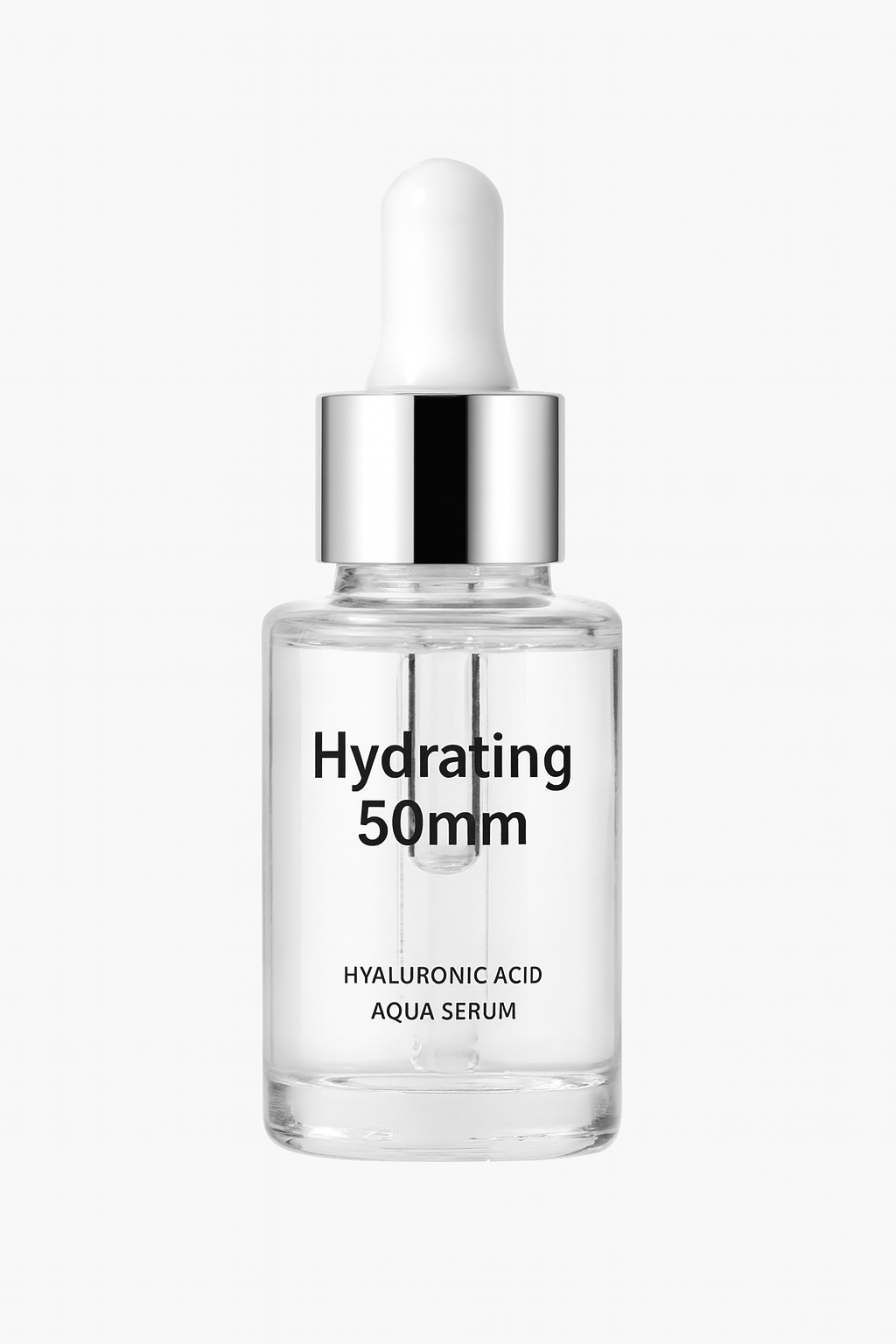
Bottle and label mockup direction for product review
Start with a clean package form, then explore label hierarchy, material cues, and ecommerce-ready product presentation before committing to final design files.
Example prompt
Create a premium skincare bottle packaging mockup with a clear front label, realistic glass reflections, soft studio lighting, visible label hierarchy, and an ecommerce-ready composition on a clean background.
Pre-launch packaging concepts
Visualize product packaging before print files, 3D renders, or production photos are finished.
Sales and investor decks
Add cleaner product packaging mockups to buyer presentations, internal decks, and fundraising materials.
Storefront and preorder visuals
Use packaging-first visuals for collection pages, preorder announcements, and product launch teasers.
What makes a packaging mockup credible
A strong packaging mockup helps stakeholders understand the direction while staying honest about what is still conceptual.
The package format is specific
The output should clearly read as a pouch, bottle, jar, box, tube, label, or multi-pack instead of a vague product container.
Label hierarchy is believable
The front panel should have a realistic area for brand name, product name, claims, flavor, size, or placeholder copy.
Materials match the category
Glass, matte carton, foil pouch, plastic tube, kraft paper, and luxury box mockups all need different reflections, edges, and surfaces.
Packaging mockup prompt checklist
Describe the physical object first, then the design direction and review context.
Name the form factor
Start with the exact package type, camera angle, front-facing or angled view, and whether the mockup should stand alone or appear in a set.
Describe material and scene
Add matte, glossy, glass, paper, metallic, soft pouch, studio lighting, shelf context, countertop, or ecommerce background details.
Separate exact copy from placeholders
Use placeholder label hierarchy for early concepts, or move exact text requirements into the accurate text workflow.
What a mockup cannot replace
It is not a production dieline
Use AI packaging mockups for direction and review, then create final dielines, barcodes, nutrition panels, and print files in professional tools.
Claims need legal review
Health, sustainability, ingredient, origin, and compliance claims should be reviewed before any mockup becomes customer-facing.
Physical feasibility still matters
Check whether the label size, cap, closure, material, and package shape can actually be manufactured.
How it works
Step 1
Describe the packaging type
Start with the form factor: pouch, bottle, box, tube, jar, or another packaging object that needs a mockup.
Step 2
Define material, angle, and scene
Add packaging surface details, camera angle, lighting mood, printable label area, and whether the image should feel ecommerce-clean or more editorial.
Step 3
Keep the strongest mockup direction
Take the best packaging visual into later editing, upscaling, or design handoff once the concept has stakeholder approval.
FAQ
What is an AI packaging mockup generator best used for?
It is best for fast packaging concepts, sales deck visuals, storefront placeholders, and early product packaging mockups before final production assets exist.
Can I use this for exact production packaging files?
No. It is better as a visual mockup and concept workflow. Use it to speed up direction, then finalize exact dielines and print production inside packaging design tools.
What should I include in a packaging mockup prompt?
Mention the packaging type, front or angled view, material feel, label area, scene, lighting, and whether you need a retail-friendly, ecommerce-ready, or editorial presentation.
Can it generate box, bottle, pouch, and label mockups?
Yes. The workflow is useful for common packaging forms such as boxes, bottles, jars, tubes, pouches, labels, and early multi-pack concepts.
How do I make packaging mockups look less fake?
Specify realistic materials, camera angle, contact shadows, label hierarchy, retail context, and whether the result should feel like studio photography or shelf merchandising.